


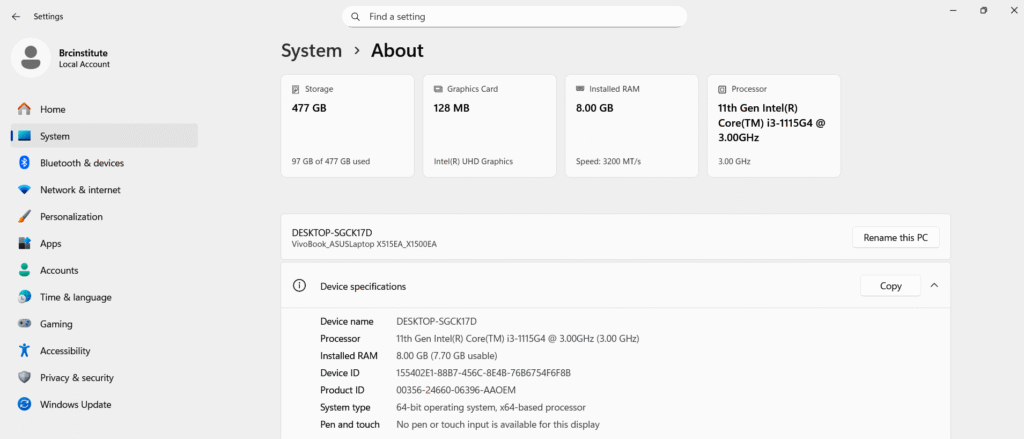
Windows 10 & 11
- Via Settings (Quickest): Click the Start button, select Settings (gear icon), then go to System > About. You will find your processor model and the amount of installed RAM under the "Device specifications" section.
- Via Task Manager (Real-time Usage) : Press Ctrl + Shift + Esc , then click the Performance tab.
- Click CPU to see your processor's name, speed, and core count.
- Click Memory to see your total RAM, its speed (MHz), and how many slots are used.
- Computer Hardware
- Via System Information (Detailed): Press Windows + R, type msinfo32, and hit Enter. This provides a comprehensive summary of your hardware, including your BIOS version and physical memory.